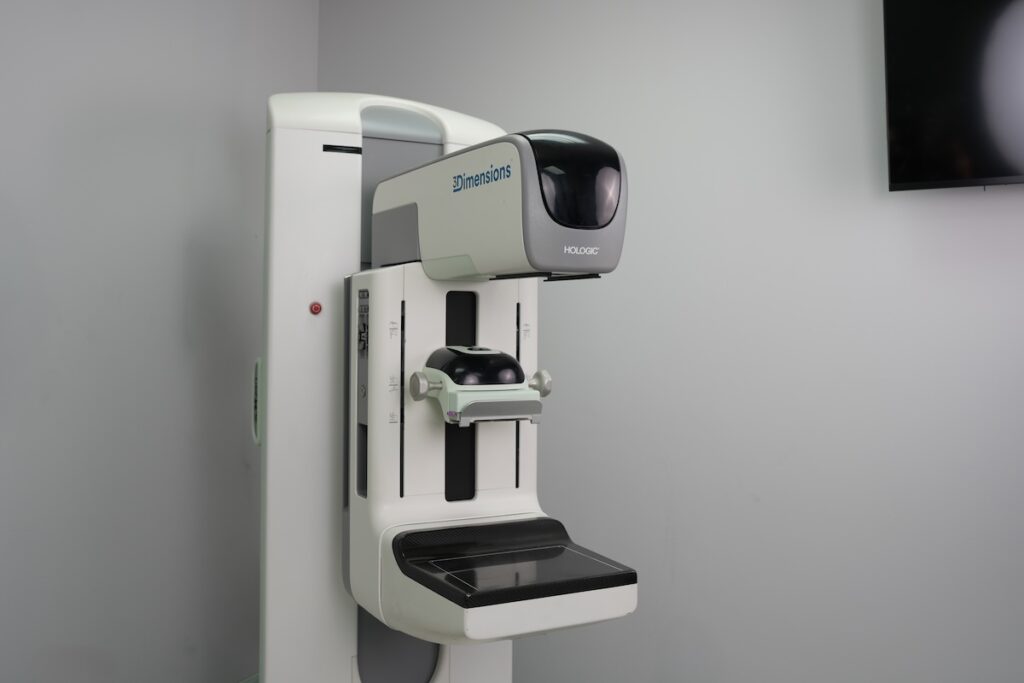
Replacing a failed component on a mammography system is rarely as simple as ordering the cheapest part available. A part that saves a few hundred dollars upfront can easily cost far more in repeat service calls or extended equipment outages. When looking at mammography system repairs, facilities have to weigh compatibility with the existing system, the reliability of the part itself, how quickly it can actually be sourced, what installation demands it, and what downtime costs the practice while everything gets sorted out.
This is why a structured approach to sourcing replacement parts for Hologic mammography systems matters. A sound parts strategy helps a facility identify which components carry the greatest financial risk, which parts are worth stocking ahead of failure, when refurbished options offer real value versus false savings, which service model fits the facility’s staffing and budget, and – just as importantly – when continued repair no longer makes financial sense.

The Lowest-Priced Part Does Not Always Produce the Lowest Repair Cost
A quoted price for a replacement component tells you very little about what the repair will actually cost by the time the system is back in service. Clinics that base purchasing decisions on the part’s sticker price alone often find that number was only the starting figure.
A lower-priced part can quickly become the more expensive option if it is difficult to source, incorrectly matched to the system, insufficiently tested, or requires another service visit. Rescheduled appointments and disrupted staff workflows can add to the financial impact as well.
Looking at the total cost of the repair, not just the component price, gives facilities a more accurate basis for comparing replacement options and avoiding savings that disappear once downtime and additional service expenses are factored in.
Build a Parts Risk Profile for Your Specific Mammography System
A one-size-fits-all parts list won’t serve a facility well. The right strategy has to be built around the actual system in use – its configuration, how heavily it’s used, and how it has performed over time. Two identical models installed in different facilities can carry very different risk profiles once usage patterns and service history are factored in.
Review the System’s Service and Replacement History
Start with what the equipment’s own record shows. That means reviewing previous failures and repeat repairs, how often service calls have been needed, which components have already been swapped out, whether error frequency has increased over time, findings from routine maintenance visits, and parts and labor spend over the past several years. This history is often the clearest indicator of where the next failure is likely to happen.
Factor in System Age, Exam Volume, and Configuration
Repair exposure isn’t uniform across systems. It shifts based on the age of the equipment, screening and diagnostic exam volume, and whether the system is configured for 2D or 3D imaging. Connected workstations, biopsy attachments, and any prior refurbishment or upgrades also change the risk picture, as does the current availability of compatible replacement parts for that specific configuration. A high-volume 3D system, for instance, will stress components differently than a lower-volume 2D unit.
Rank Components by Failure Impact and Sourcing Difficulty
Once the history and configuration are clear, each component can be evaluated on its own merits: how likely it is to fail, what it costs to replace, how much clinical disruption a failure would cause, typical sourcing lead time, whether repair or refurbishment is an option, and whether an alternative component exists if the original isn’t readily available. For Hologic Dimensions systems specifically, reviewing the commonly replaced Hologic Dimensions parts is a useful starting point, alongside a closer look at mammography components that require closer attention across the broader product line.
Separate Mammography Parts by Cost and Operational Importance
Not every component deserves the same level of planning attention. A useful parts strategy sorts components by what they cost and what happens clinically when they fail – because those two factors don’t always move together, and treating every part the same leads to either overspending on inventory or being unprepared when something critical fails.
Routine Wear Items and Lower-Cost Components
Some parts are inexpensive individually but wear out on a predictable schedule simply through regular use. These typically include:
- Compression paddles
- Cables
- Switches
- Power supplies
- Smaller mechanical or electronic components
None of these carry a large price tag on their own, but their absence can still still bring a system to a halt. A facility that runs out of a working paddle, or loses a critical cable mid-shift, faces the same scheduling disruption as a much costlier failure.
High-Cost, Mission-Critical Components
At the other end of the spectrum are components that represent real financial exposure and, in many cases, can take the entire system offline when they fail. This group includes:
- Digital detectors
- X-ray tubes
- Generators
- CPUs and major electronic boards
These parts typically carry long sourcing lead times and require experienced installation, which makes advance planning the more sensible approach rather than reactive ordering.
Workstation, Biopsy, and Accessory Components
A parts strategy that only accounts for the gantry misses a significant part of the picture. A fully functional acquisition unit is still unusable if the connected workstation, monitor, or biopsy attachment fails, since the clinical workflow depends on the whole system working together, not just the imaging hardware. Planning should extend to Hologic workstation parts and monitors as well as replacement parts for Hologic biopsy equipment, since a failure in either area can take a room out of service just as effectively as a failure in the gantry itself.
Evaluate Part Compatibility, Quality, and Supplier Support
Choosing the wrong part, or one that hasn’t been properly verified, doesn’t just risk a failed installation. It can trigger a chain of repeat expenses, delays, and additional downtime that far outweigh whatever was saved at purchase.
Confirm the Exact System and Part Configuration
Before ordering, verify:
- System model and serial number
- Existing part number and revision
- Hardware configuration
- Software compatibility
- Connected accessories
- Whether calibration or additional installation work will be required
A part number alone doesn’t guarantee a correct match. Two components with the same listed number can differ in revision or configuration in ways that affect fit or function, so confirming compatibility against the actual system is worth the extra step.
Compare New and Refurbished Parts Based on Value
Refurbished parts are often the smarter cost-control option, provided they come from a supplier that properly sources, restores, and tests each component against the specific system it’s going into. When that standard is met, a refurbished part can deliver reliability comparable to new at a meaningfully lower price. The comparison should weigh purchase price against the thoroughness of the testing process, the warranty or return protection offered, expected service life, availability, and the supplier’s expertise and installation support. The deciding factor isn’t new versus refurbished on principle. It’s whether the specific part, from a specific supplier, has been properly matched, tested, and backed for the system it’s going into.
Avoid Unverified Parts That Can Create Repeat Repairs
Choosing a supplier on price alone carries real risk. Incorrect revisions, unknown service history, and inadequate testing can all surface after installation rather than before it, often alongside missing warranty protection and limited technical assistance if something goes wrong. Working with a supplier that follows recognized quality controls for mammography replacement parts helps reduce the odds of running into these issues in the first place.
Decide Which Parts to Plan for and Which to Source on Demand
A parts strategy doesn’t require a clinic to buy and warehouse an inventory of expensive components. What it does require is knowing, before a failure happens, exactly what the facility will do when it does.
Keep Appropriate Lower-Cost Parts Available
For inexpensive, frequently needed components, the question is whether to hold a small stock onsite or rely on a service provider who can supply them quickly. Either approach can work, but storage conditions, shelf life, compatibility with the current system, and basic inventory tracking should all factor into the decision before parts are kept on hand.
Prequalify Sources for Expensive or Infrequently Replaced Components
Detectors, tubes, CPUs, and similar high-cost components call for a different kind of preparation. Rather than stocking these, facilities are better served by identifying qualified suppliers ahead of time, confirming likely availability, recording the correct system configuration on file, understanding realistic shipping timelines, and knowing in advance who will handle installation, testing, and warranty support. Planning for these high-cost components is part of the broader work of extending the useful life of a Hologic mammography system.
Create a Repair-versus-Replacement Threshold
At some point, continued repair stops being the financially sound choice. A facility should have a working sense of what would trigger that reconsideration. This might include rising repair frequency, mounting annual repair costs, difficulty sourcing parts, downtime that’s become unacceptable, declining system performance, or a replacement system reaching a cost that’s more attractive than continued repair. Defining that threshold ahead of time is far easier than making the call under pressure. It’s worth knowing when continued repairs no longer make financial sense before that point arrives.
Match the Service Model to Your Facility’s Repair Risk
The right parts strategy also depends on the service arrangement backing it up. Coverage should match the facility’s repair risk, not the other way around.
- Time-and-material service tends to suit facilities with relatively stable systems, infrequent repair needs, a higher tolerance for variable expenses, and no real need for comprehensive annual coverage. This pay-as-you-go mammography repair service model works best when repair activity is genuinely occasional.
- Parts-only coverage fits facilities that already have internal technical capabilities or a trusted local service engineer, along with separate labor arrangements already in place. What they need most is predictable access to replacement parts. Parts-only coverage for Hologic equipment is worth considering here, and for smaller or regional facilities specifically, it’s worth understanding when parts-only coverage makes financial sense.
- Full parts and labor coverage makes more sense when downtime presents a major operational risk, repair expenses need to stay predictable, the facility lacks in-house technical resources, the system includes several expensive components, or exam volume makes prolonged downtime especially disruptive. In these cases, full parts and labor coverage removes much of the guesswork from budgeting for repairs.
Preventive Maintenance as Part of the Strategy
A parts strategy shouldn’t begin only once something fails. Maintenance findings and service records often reveal wear, recurring errors, or shifting system performance well before an emergency repair becomes necessary. Building scheduled preventive maintenance for Hologic systems into the strategy, alongside ongoing mammography equipment maintenance planning, gives a facility earlier visibility into which components are heading toward failure.
Once a facility understands its highest-risk components, sourcing requirements, and preferred level of coverage, the next step is finding a partner that can help identify the correct parts and support the system when a repair is needed.

How MedSource Imaging Can Support Your Mammography Parts Strategy
Putting a parts strategy into practice is easier with the right partner behind it.
- Identify the correct part. MedSource Imaging can help confirm the exact component a system needs based on the model, configuration, symptoms, and existing part information, so facilities can find parts for their Hologic mammography system with confidence.
- Source tested refurbished parts. New OEM components aren’t the only reliable option. MedSource Imaging sources, tests, and supplies refurbished parts across mammography systems, workstations, biopsy equipment, and related Hologic technology.
- Choose the right level of service. MedSource Imaging can help facilities choose a service option based on their system condition, resources, budget, and repair risk.
Facilities facing a current failure don’t have to wait. Request mammography repair or parts support and our team will help get the system back online. For those planning ahead, reaching out to talk through the system and its long-term support needs is the natural next step toward a stronger parts strategy.
Frequently Asked Questions About Mammography Parts Planning
Confirming the right part typically requires the system model, serial number, current configuration, and the existing part number and revision. Software compatibility and any connected accessories should also be checked, since two components with the same listed part number can still differ in ways that affect fit or function.
Generally, yes. Properly sourced and tested refurbished parts often cost meaningfully less than new OEM components while delivering comparable reliability, provided they come from a supplier that verifies compatibility and backs the part with a warranty.
It depends on the part. Lower-cost, frequently needed components may be worth keeping onsite, while expensive or infrequently replaced parts are often better sourced through a prequalified supplier.
Parts-only coverage tends to make sense for facilities that already have internal technical capabilities or a trusted local service engineer and simply need predictable access to replacement parts.
A system may no longer be worth repairing when recurring repair costs and downtime begin to outweigh the financial benefit of keeping it in service, particularly compared with the cost of replacement.